New features, improvements, and fixes shipped to InsForge.
Connect Your Coding Agent with Your User API Key
The organization projects page now has a floating Connect your coding agent dock. It generates a setup prompt with your user API key (uak_...), allowing the InsForge CLI to authenticate as your signed-in user and connect the current project.
Click Copy prompt, then paste it into Claude Code, Cursor, Codex, Windsurf, Cline, or any other coding agent to continue setup from your working directory.
Connect Your Coding Agent in One Paste
The organization projects page now has a floating Connect your coding agent dock with a ready-to-paste setup prompt. Click Copy prompt, paste it into Claude Code, Cursor, Codex, Windsurf, Cline, or any coding agent, and the agent takes it from there:
Signs in to the InsForge CLI with your user API key — the key is filled in when you copy, and never displayed on screen
Creates a project linked to your working directory with npx @insforge/cli create (or links an existing one with npx @insforge/cli link), which also installs the InsForge agent skills and writes an AGENTS.md
Follows those skills to build your backend: the insforge-cli skill for infrastructure and the insforge skill for app code with @insforge/sdk
No dashboard clicking, no copying keys around, no reading setup docs — one paste turns your coding agent into an InsForge-native backend engineer.
We're rolling this out gradually, so it may not be on your projects page yet. If you'd rather keep the page clean, dismiss the dock and it stays away for the rest of your session.
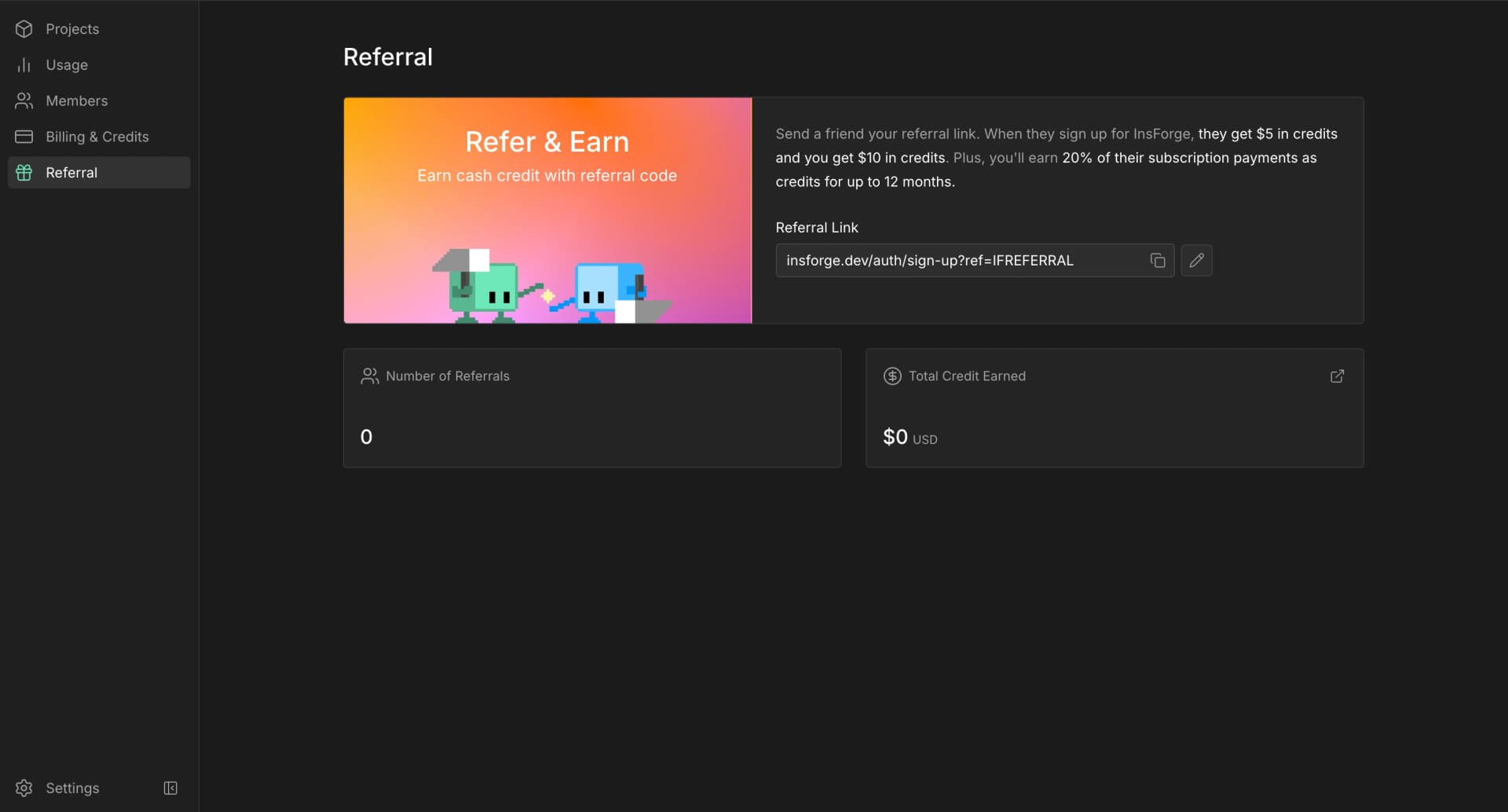
Referrals Are Here
You can now earn credits by referring InsForge to your friends!
Every organization has a referral link in the dashboard. Share it with another builder, and when they subscribe to a paid plan, they get $5 off their first bill. Your organization gets $10 in credits on their first payment, plus 20% of their subscription payments as credits for up to 12 months.
The Referral page also shows your referral count and total credit earned, so you can see every invite turn into more fuel for your projects.
Share InsForge with someone who is building, give them credits, earn credits back, and keep shipping incredible ideas!
InsForge now connects to Apify in one OAuth click. Open Web Scraper in the dashboard, click Connect Apify, and authorize your own Apify account. Once connected, your coding agent can pull external data on demand without you wiring up any keys.
Connect from the dashboard or the CLI:
bash
insforge webscraper apify connect
The Web Scraper page also shows a copyable prompt: paste it into Claude Code, Cursor, or any coding agent running the InsForge skill and it drives Apify through the insforge webscraper apify skill, with no manual apify login or API keys.
Backend Advisor on Self-Hosted
The Backend Advisor now ships in the open-source, self-hosted dashboard. It has been available on InsForge Cloud, and the same scan now runs on self-hosted projects too: it checks your database and backend for security, performance, and health problems and points you at the fix.
Every finding comes with a copyable remediation prompt you can paste into any coding agent to apply the fix.